 Checkout Conversion Guide
 Express Checkout: How One-Click Payments Lift Conversions
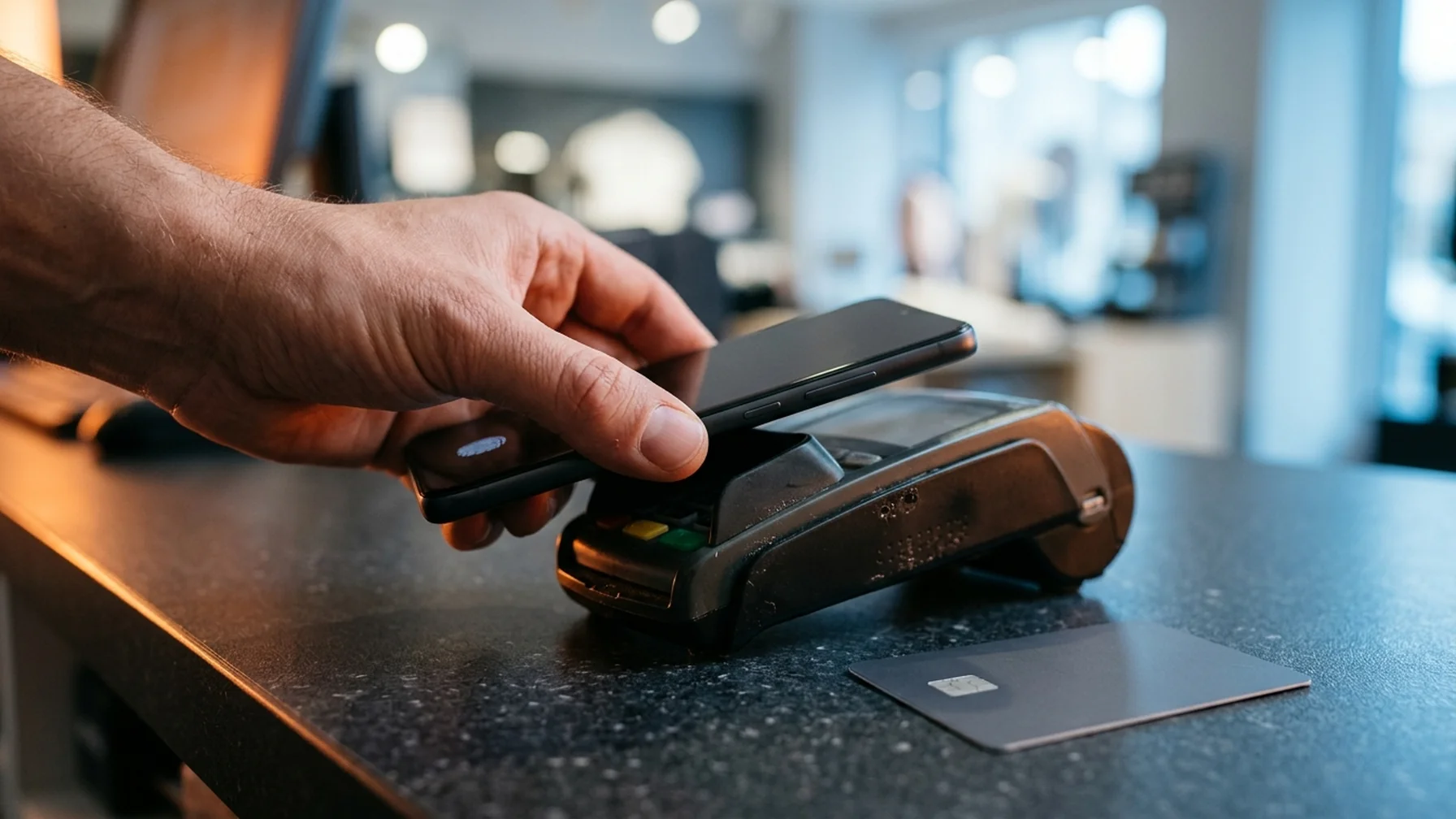
Express checkout lets a shopper pay with a saved wallet, card, or bank credential without re-entering shipping and payment details. It lifts conversions because it removes the slowest, most error-prone part of the funnel. Google and Amazon report that a meaningful share of buyers abandon when account creation or a long form stands between them and the order, so shortening that step pays off directly. You can add express checkout through a payment provider's wallet buttons, a saved-payment setup, or a hosted button, and each option has a different effect on fees, control, and how fast your checkout gets.
What express checkout actually changes in your funnel
Express checkout is not a smaller version of your form. It is a different payment path. The wallet or service holds the shopper's shipping address and card or bank credential, then returns that data to your store after a single confirmation.
The gain comes from three places:
- Fewer fields. The shopper skips address and card entry, which removes most abandonment caused by form fatigue.
- Fewer errors. Address and card data arrive pre-validated, so failed payments and delivery mistakes drop.
- Less friction on mobile. A tap beats typing on a small screen, where most checkout abandonment happens.
What it does not do is fix a confusing cart, a surprise shipping cost, or a slow page. Those problems survive a fast button.
How one click checkout works on the buyer's side
A one click checkout flow has four parts. The shopper taps a wallet button, the wallet shows a confirmation screen, the shopper approves with a device check or password, and the order is placed. The wallet passes the saved address and payment method back to your store, which then creates the order.
The buyer never creates a password on your site in that path. That is the trade: less friction now, but a weaker direct relationship unless you capture contact details through the order confirmation. Store owners who rely on repeat purchase should plan an email or account step after the sale, not before it.
Card networks versus wallets
The card networks run their own one-click programs, which store a card and shipping address so a returning shopper can check out with a single click on participating sites. Wallets take the same idea but hold the buyer's credential in an app or browser profile. Both reduce typing. Wallets travel across sites more easily; network programs often apply only to merchants that join the program. Check what your payment provider supports before you promise "one click" on your storefront.
How to add express checkout to your store
The steps are the same through most platforms, though the labels change.
- Pick the wallets your buyers use. Match the options to your market. One wallet may dominate in one country and another elsewhere, so check your own traffic and orders by device and region.
- Turn on wallet buttons in your payment provider. Most providers expose them in the same dashboard where you configure cards. Enable them, then confirm they render on product, cart, and checkout pages.
- Decide where the buttons appear. On the product page and cart they can bypass the checkout form. Inside checkout they sit above the form, not below it, so the fast path is the first thing a shopper sees.
- Keep the guest path. A shopper without a wallet still needs a quick route. Offer guest checkout next to the wallet buttons.
- Test on a real phone. Use a test card and a test wallet account. Confirm the address comes back correctly, the shipping cost matches, and the confirmation email arrives.
If your platform supports a saved-payment option, let returning customers store a card or bank credential on your own site. That gives you a one-click path without depending only on third-party wallets.
Where express checkout costs you control
Faster payments are not free. Each wallet or network program charges its own rate, and some charge more than a standard card transaction. Rates vary by provider, country, and volume, so compare the actual per-order cost for your mix rather than assuming a fast button pays for itself.
There are other trade-offs worth planning for:
- Fewer upsells. Wallet buttons skip your order bump and cross-sell screens, so basket size can fall even as conversion rises.
- Less data. Some wallets return limited contact details, which can weaken your email list and retargeting.
- Brand leakage. The wallet's logo and confirmation screen may dominate the last step, so brand and trust signals need to carry through the rest of the page.
- Support load. A shopper who pays with a wallet may later ask you to change an address or refund, and the wallet holds the original record.
Measure total revenue per session, not just conversion rate. A small lift in completed orders with a lower average order value can cancel out.
Measuring the lift without fooling yourself
Assume wallet buttons deliver a 10% conversion lift on mobile. That figure is illustrative, not a benchmark. To test whether it holds for you, split traffic by device and run the test for a full sales cycle. A split that ends early will capture a promotion, not a pattern.
Track these metrics before and after:
- Session-to-order conversion rate, split by device and by new versus returning shopper
- Checkout abandonment, measured by step
- Average order value and total revenue per session
- Payment failure rate and address-related support tickets
If conversion rises but average order value drops enough to lower revenue per session, move the wallet buttons to appear after the order summary so shoppers still see the upsell. If the lift is small, check loading speed on mobile before blaming the buttons.
Mistakes that make express checkout backfire
Most failures come from how the buttons are set up, not from the idea.
- Buttons below the form. A shopper who has to scroll past every field before finding the fast path will not use it.
- No clear shipping cost. A wallet still shows the total, and a surprising charge at the final screen drives abandonment even on a one-tap flow.
- Only wallet options. Shoppers without a wallet and shoppers who want to pay by card or invoice need a working path beside it.
- Untested on real devices. Buttons that fail to load or return the wrong currency cost orders you will never see in the logs.
- No account fallback. If the wallet is unavailable, the shopper should still reach a normal checkout without starting over.
Also check local rules. Consumer protection rules around payment authorization and refunds differ by country, for example in the US and the EU, so confirm requirements with your payment provider and the relevant regulator's official guidance.
A practical rollout plan
Start with the wallet your buyers already use most, then add the second once the first is stable. Put the buttons on the cart and at the top of checkout, keep guest checkout, and test on a physical phone with a real test card. Give the test two to four weeks, and compare conversion, order value, and revenue per session by device.
Write down what you changed, when, and what the numbers did. A changelog turns a pile of tweaks into a set of decisions you can repeat or reverse. If a wallet button lowers average order value more than it lifts completed orders, move it or drop it, and keep the data to guide the next test.
This article is general information, not financial, legal, or tax advice.